> ## Documentation Index
> Fetch the complete documentation index at: https://wb-21fd5541-serverless-sft-revamp.mintlify.site/llms.txt
> Use this file to discover all available pages before exploring further.
# Sweeps の概要
> W&B Sweeps を用いたハイパーパラメーター探索とモデルの最適化
export const TryProductLink = ({url}) =>
Try in W&B
;
export const ColabLink = ({url}) =>
Try in Colab
;
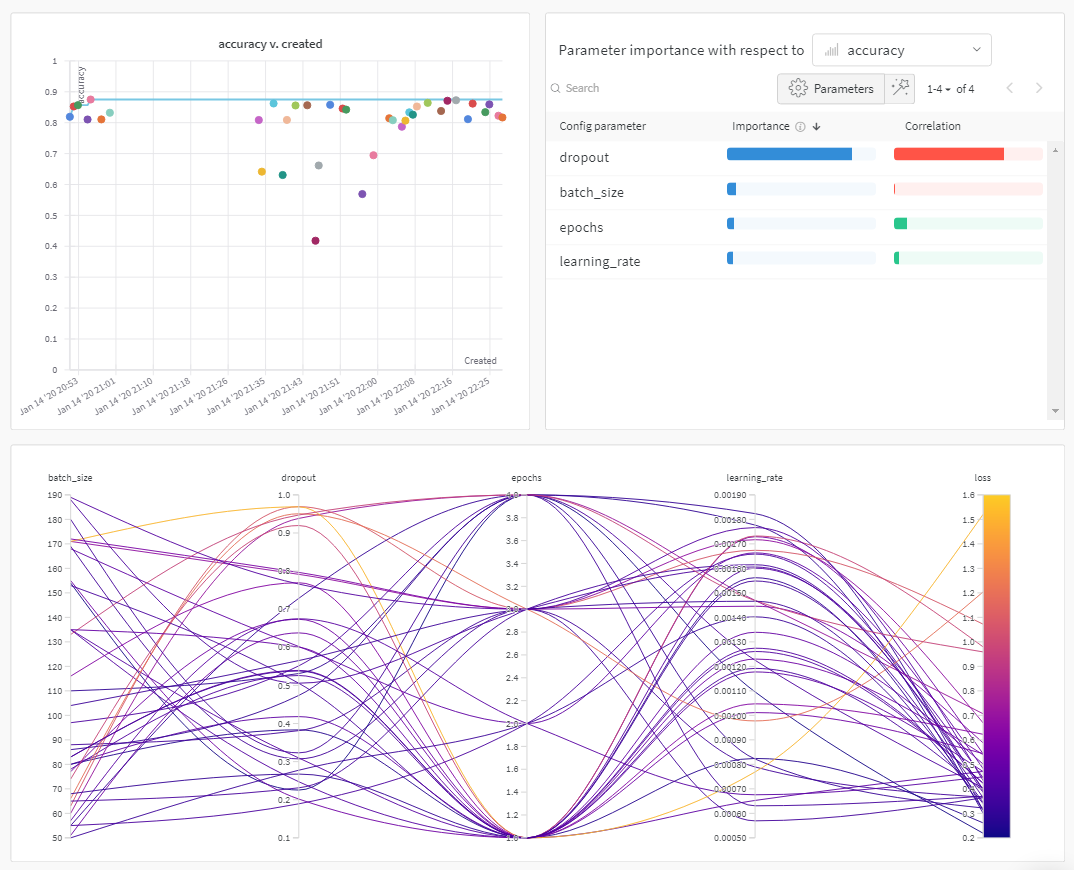
W\&B Sweeps を使用して、ハイパーパラメータ探索を自動化し、リッチでインタラクティブな 実験管理 を可視化しましょう。 ベイズ最適化、グリッド検索、ランダム探索などの一般的な探索手法から選択して、ハイパーパラメータ空間を探索できます。 1台以上のマシンにわたって Sweep をスケーリングおよび並列化することが可能です。
 ### 仕組み
2つの [W\&B CLI](/models/ref/cli/) コマンドを使用して Sweep を作成します。
1. Sweep を初期化する
```bash theme={null}
# プロジェクト名と設定ファイルへのパスを指定して sweep を初期化
wandb sweep --project
```
2. sweep agent を開始する
```bash theme={null}
# sweep ID を指定してエージェントを開始
wandb agent
```
上記のコードスニペットおよびこのページの Colab リンクでは、W\&B CLI を使用して Sweep を初期化および作成する方法を示しています。 Sweep 設定の定義、Sweep の初期化、および Sweep の開始に使用する W\&B Python SDK コマンドのステップバイステップの概要については、[Sweeps walkthrough](/models/sweeps/walkthrough/) を参照してください。
### 開始方法
ユースケースに合わせて、W\&B Sweeps を使い始めるための以下のリソースを確認してください。
* [Sweeps walkthrough](/models/sweeps/walkthrough/) を読み、W\&B Python SDK コマンドを使用して sweep configuration の定義、Sweep の初期化、および Sweep の開始を行うためのステップバイステップの概要を把握します。
* このチャプターを探索して、以下の方法を学びます。
* [コードに W\&B を追加する](/models/sweeps/add-w-and-b-to-your-code/)
* [sweep configuration を定義する](/models/sweeps/define-sweep-configuration/)
* [Sweeps を初期化する](/models/sweeps/initialize-sweeps/)
* [sweep agents を開始する](/models/sweeps/start-sweep-agents/)
* [Sweep の結果を可視化する](/models/sweeps/visualize-sweep-results/)
* W\&B Sweeps を使用したハイパーパラメータ最適化を調査した [Sweep 実験の厳選リスト](/models/sweeps/useful-resources/) を確認してください。 結果は W\&B Reports に保存されています。
ステップバイステップのビデオについては、[Tune Hyperparameters Easily with W\&B Sweeps](https://www.youtube.com/watch?v=9zrmUIlScdY\&ab_channel=Weights%26Biases) をご覧ください。
### 仕組み
2つの [W\&B CLI](/models/ref/cli/) コマンドを使用して Sweep を作成します。
1. Sweep を初期化する
```bash theme={null}
# プロジェクト名と設定ファイルへのパスを指定して sweep を初期化
wandb sweep --project
```
2. sweep agent を開始する
```bash theme={null}
# sweep ID を指定してエージェントを開始
wandb agent
```
上記のコードスニペットおよびこのページの Colab リンクでは、W\&B CLI を使用して Sweep を初期化および作成する方法を示しています。 Sweep 設定の定義、Sweep の初期化、および Sweep の開始に使用する W\&B Python SDK コマンドのステップバイステップの概要については、[Sweeps walkthrough](/models/sweeps/walkthrough/) を参照してください。
### 開始方法
ユースケースに合わせて、W\&B Sweeps を使い始めるための以下のリソースを確認してください。
* [Sweeps walkthrough](/models/sweeps/walkthrough/) を読み、W\&B Python SDK コマンドを使用して sweep configuration の定義、Sweep の初期化、および Sweep の開始を行うためのステップバイステップの概要を把握します。
* このチャプターを探索して、以下の方法を学びます。
* [コードに W\&B を追加する](/models/sweeps/add-w-and-b-to-your-code/)
* [sweep configuration を定義する](/models/sweeps/define-sweep-configuration/)
* [Sweeps を初期化する](/models/sweeps/initialize-sweeps/)
* [sweep agents を開始する](/models/sweeps/start-sweep-agents/)
* [Sweep の結果を可視化する](/models/sweeps/visualize-sweep-results/)
* W\&B Sweeps を使用したハイパーパラメータ最適化を調査した [Sweep 実験の厳選リスト](/models/sweeps/useful-resources/) を確認してください。 結果は W\&B Reports に保存されています。
ステップバイステップのビデオについては、[Tune Hyperparameters Easily with W\&B Sweeps](https://www.youtube.com/watch?v=9zrmUIlScdY\&ab_channel=Weights%26Biases) をご覧ください。