> ## Documentation Index
> Fetch the complete documentation index at: https://wb-21fd5541-serverless-sft-revamp.mintlify.site/llms.txt
> Use this file to discover all available pages before exploring further.
# PaddleOCR
> PaddleOCR과 W&B를 통합하는 방법.
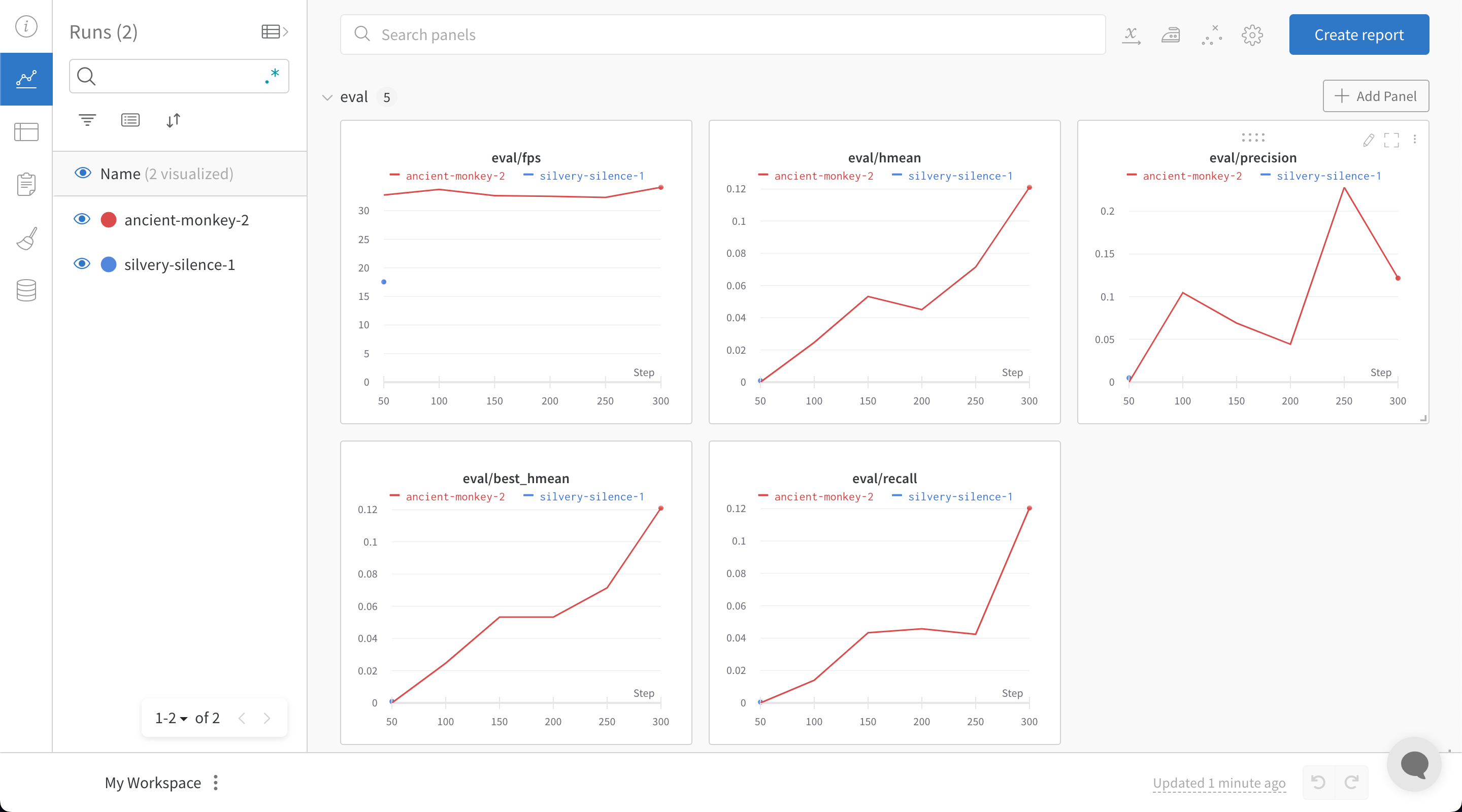
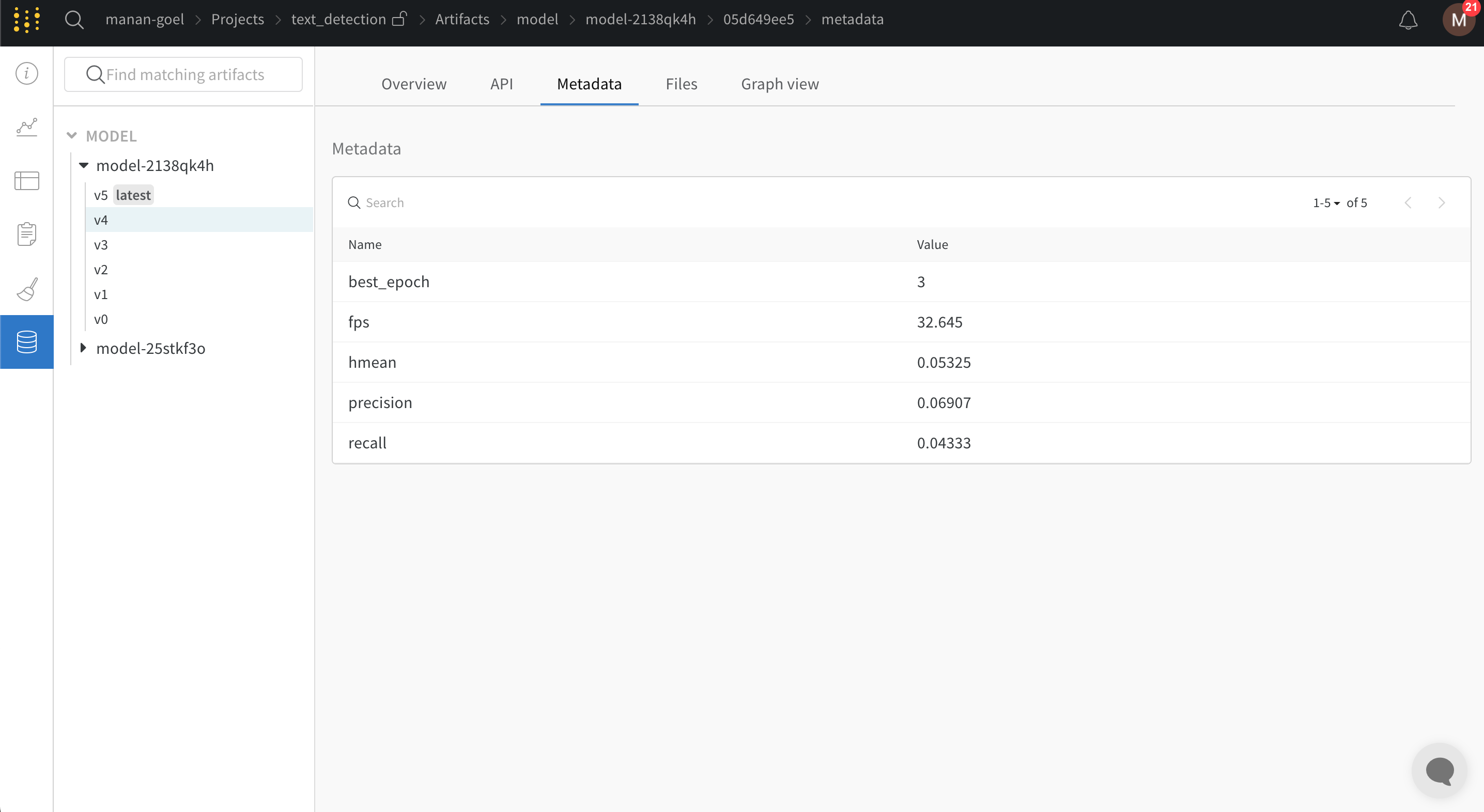
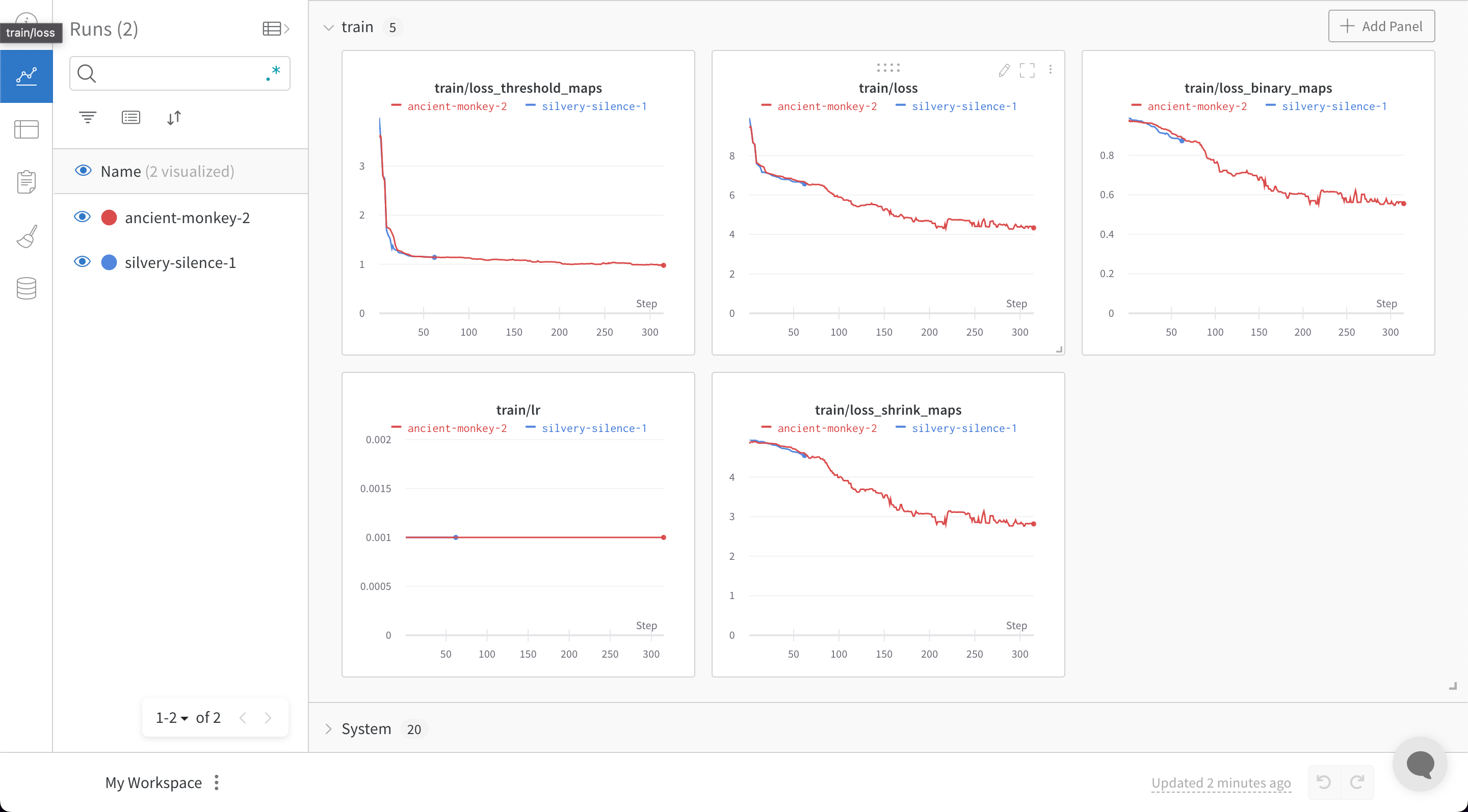
[PaddleOCR](https://github.com/PaddlePaddle/PaddleOCR)는 PaddlePaddle로 구현된 다국어 지원이 가능하고 뛰어난 성능의 실용적인 OCR 툴 제작을 목표로 합니다. 이를 통해 사용자가 더 나은 모델을 트레이닝하고 실제 환경에 적용할 수 있도록 돕습니다. PaddleOCR은 다양한 cutting-edge OCR 알고리즘을 지원하며 산업용 솔루션을 개발해 왔습니다. 이제 PaddleOCR은 트레이닝 및 평가 메트릭 로그는 물론, 관련 메타데이터와 함께 모델 체크포인트를 기록할 수 있는 W\&B 인테그레이션을 지원합니다.
## 예제 블로그 및 Colab
ICDAR2015 데이터셋을 사용하여 PaddleOCR로 모델을 트레이닝하는 방법은 [여기](https://wandb.ai/manan-goel/text_detection/reports/Train-and-Debug-Your-OCR-Models-with-PaddleOCR-and-W-B--VmlldzoyMDUwMDIw)에서 확인하실 수 있습니다. 또한 [Google Colab](https://colab.research.google.com/drive/1id2VTIQ5-M1TElAkzjzobUCdGeJeW-nV?usp=sharing) 노트북도 제공되며, 해당 라이브 W\&B 대시보드는 [여기](https://wandb.ai/manan-goel/text_detection)에서 볼 수 있습니다. 중국어 버전의 블로그도 준비되어 있습니다: [W\&B对您的OCR模型进行训练和调试](https://wandb.ai/wandb_fc/chinese/reports/W-B-OCR---VmlldzoyMDk1NzE4)
## 가입 및 API 키 생성
API 키는 사용자의 머신을 W\&B에 인증하는 데 사용됩니다. 사용자 프로필에서 API 키를 생성할 수 있습니다.
For a more streamlined approach, create an API key by going directly to [User Settings](https://wandb.ai/settings). Copy the newly created API key immediately and save it in a secure location such as a password manager.
1. 오른쪽 상단 모서리에 있는 사용자 프로필 아이콘을 클릭합니다.
2. **User Settings**를 선택한 다음 **API Keys** 섹션으로 스크롤합니다.
## `wandb` 라이브러리 설치 및 로그인
로컬에 `wandb` 라이브러리를 설치하고 로그인하려면 다음을 실행하세요:
1. `WANDB_API_KEY` [환경 변수](/models/track/environment-variables/)를 본인의 API 키로 설정합니다.
```bash theme={null}
export WANDB_API_KEY=
```
2. `wandb` 라이브러리를 설치하고 로그인합니다.
```shell theme={null}
pip install wandb
wandb login
```
```bash theme={null}
pip install wandb
```
```python theme={null}
import wandb
wandb.login()
```
```notebook theme={null}
!pip install wandb
import wandb
wandb.login()
```
## `config.yml` 파일에 wandb 추가하기
PaddleOCR은 yaml 파일을 통해 설정 변수를 제공해야 합니다. 설정 yaml 파일 끝에 다음 스니펫을 추가하면 모델 체크포인트와 함께 모든 트레이닝 및 검증 메트릭이 W\&B 대시보드에 자동으로 로그됩니다:
```python theme={null}
Global:
use_wandb: True
```
[`wandb.init()`](/models/ref/python/functions/init)에 전달하고 싶은 추가 선택적 인수는 yaml 파일의 `wandb` 헤더 아래에 추가할 수 있습니다:
```
wandb:
project: CoolOCR # (선택 사항) wandb 프로젝트 이름입니다
entity: my_team # (선택 사항) wandb 팀을 사용하는 경우 여기에 팀 이름을 전달할 수 있습니다
name: MyOCRModel # (선택 사항) wandb run의 이름입니다
```
## `train.py`에 `config.yml` 파일 전달하기
yaml 파일은 PaddleOCR 리포지토리에서 제공되는 [트레이닝 스크립트](https://github.com/PaddlePaddle/PaddleOCR/blob/release/2.5/tools/train.py)의 인수로 제공됩니다.
```bash theme={null}
python tools/train.py -c config.yml
```
W\&B가 활성화된 상태에서 `train.py` 파일을 실행하면 W\&B 대시보드로 이동할 수 있는 링크가 생성됩니다.
 ## 피드백 또는 문제 보고
W\&B 인테그레이션에 대한 피드백이나 문제가 있는 경우, [PaddleOCR GitHub](https://github.com/PaddlePaddle/PaddleOCR)에 이슈를 생성하거나 [support@wandb.com](mailto:support@wandb.com)으로 이메일을 보내주세요.
## 피드백 또는 문제 보고
W\&B 인테그레이션에 대한 피드백이나 문제가 있는 경우, [PaddleOCR GitHub](https://github.com/PaddlePaddle/PaddleOCR)에 이슈를 생성하거나 [support@wandb.com](mailto:support@wandb.com)으로 이메일을 보내주세요.